Hello,
I am following the 2 following tutorials on Youtube by Hutong Games, they are:
(1) Run, Jump, and Crouch
(2) Intro to New Input System
From my understanding, the player speed can be set back to "Walk" state from "Run" state with action "Get Key Up" in the PlayerSpeed FSM as shown in the (1) tutorial.
When implementing the new Input System, I was able to set the player speed from "Walk" to "Run" using "Player Input Button Event" by holding the assigned key. However, when the "run" button is released, the player speed is not set to "Walk" state and it stays in "Run" state. Below is the actions I used for both state:
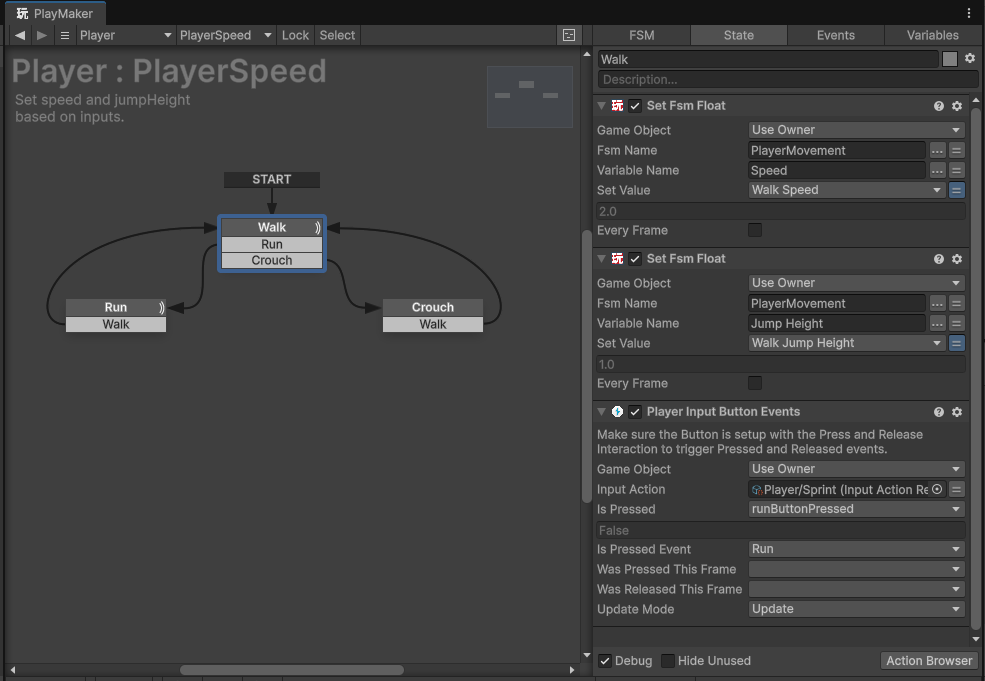
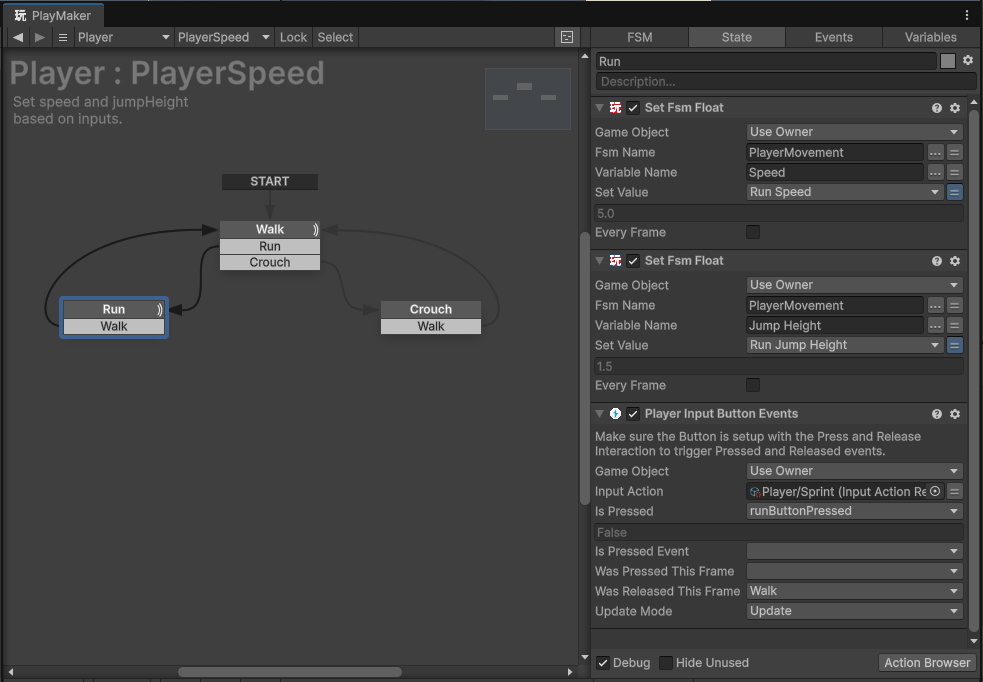
So my question is what action should I use using the new Input System to change the state from "Run" to "Walk" when a button is release? I am trying to learn Playmaker so any suggestions are welcomed. Many thanks

.



